Sample PNG with Transparent Background
Download Sample File
Free test file, safe content, instant download.
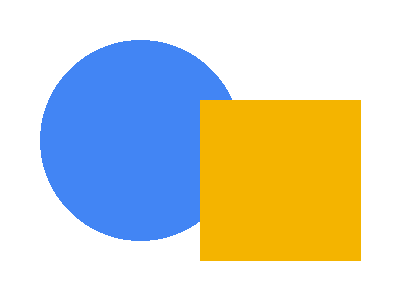
59d3d2b5dc4eb67009e35e71...PNG is the standard format for images with an alpha channel, and “does transparency actually work” is one of the most common things to test: image compositing, thumbnail pipelines, watermark overlays, CSS blend modes, and PDF/Word export all behave differently when pixels are partially transparent.
These four RGBA samples cover the cases: a shape-on-transparent test card (alpha 0 and 255 side by side), a horizontal alpha gradient (every alpha value in between), a uniform 50% black scrim for overlay work, and an outlined transparent badge for logo/watermark placement. All tiny (under 2 KB) and generated by code — CC0, no license questions.
File Information
- Test card
- sample-transparent.png — 400x300, blue circle + amber square on fully transparent bg
- Alpha gradient
- sample-transparent-gradient.png — 600x200, white fading from opaque to invisible
- 50% scrim
- sample-semi-transparent.png — 600x400 uniform black at alpha 128
- Badge
- sample-transparent-checker.png — 256x256 outlined circle + bar, logo-style cutout
- License
- CC0 — generated by code (Pillow), no third-party artwork
How to Use This PNG Test File
- 1Verify the alpha channel: PIL: Image.open("sample-transparent.png").getchannel("A").getextrema() should return (0, 255).
- 2Composite over a colored background with Image.alpha_composite to confirm only the shapes take the color.
- 3Drop the gradient into CSS (background-image) over a photo to test overlay fades.
- 4Use the 50% scrim in video-player or modal-overlay tests where uniform translucency matters.
Frequently Asked Questions
- How can I tell if a PNG background is really transparent?
- Two checks: open it in an image viewer that shows a checkerboard behind the image, or inspect the alpha channel in code — Image.open(f).mode should be RGBA and getchannel("A").getextrema() should include 0. Our test card deliberately contains both alpha 0 (background) and alpha 255 (shapes) so a broken pipeline shows up immediately.
- Does JPEG support transparency?
- No. JPEG has no alpha channel — any transparent PNG saved as JPEG gets its background flattened to black or white. That makes these PNGs a quick regression test for upload pipelines that auto-convert formats: if round-tripping through JPEG keeps transparency, something is wrong (or the pipeline silently rasterized onto a background color).
- What is the difference between transparent and semi-transparent?
- Transparent means alpha 0 (pixel fully invisible); semi-transparent is any value in between — like our 50% scrim at alpha 128, which darkens whatever sits behind it instead of hiding it. Overlays, watermarks, and hover dimming all rely on semi-transparency, which is a different rendering path than hard cutouts.
- Why are the files so small?
- On purpose: flat-color RGBA PNGs compress to well under 2 KB, which keeps downloads instant and CI fixtures light. Size was never the point — a known, exact alpha structure was.
- Can I use these in commercial projects?
- Yes — CC0 1.0 Universal. They were drawn with Pillow in a few lines of code by us; there is no third-party artwork in them and no attribution obligation.
Related Sample Files
Need a different size or format?
Use our free Generator to create custom test files in any format and size — right in your browser, no upload needed.
Try Our Generator